
Finding a useful AI tool sounds easy until you actually start looking allaitools.pro.
Search for an AI writing tool and you will quickly find dozens of options. Then there are AI image generators, coding assistants, PDF tools, video editors, voice generators, research platforms, SEO tools, and productivity apps. Some are free, some require subscriptions, and some look useful until you discover that an important feature is locked behind a paid plan.
That is where an AI tools directory can be useful.
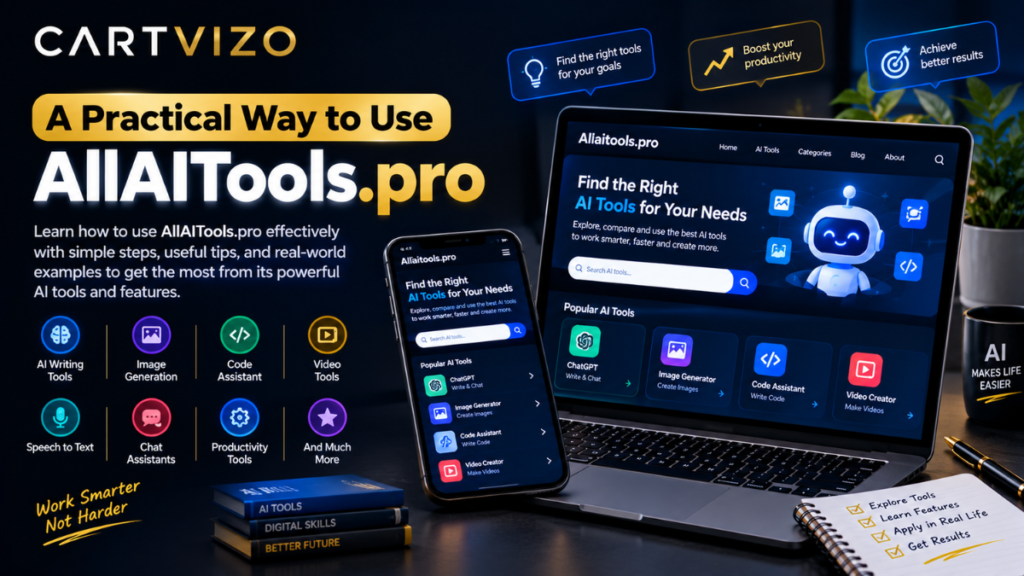
AllAITools.pro is a website built around the idea of bringing different types of AI tools into one searchable place. Its homepage currently describes the site as a directory for tools covering writing, images, video, voice, coding, productivity, research, SEO, and other tasks.
However, there is an important detail that visitors should know before treating it as a large established AI database: the current homepage says that no tools have been added yet.
So, rather than presenting AllAITools.pro as a massive directory already packed with hundreds of tested applications, it makes more sense to look at what the site is trying to become, how someone could use a directory like this, and what to check before choosing any AI service.
What is AllAITools.pro?
AllAITools.pro is an AI-tool discovery website.
The basic concept is straightforward. Instead of searching the web separately for an AI application for every task, visitors can browse categories and search for tools from one place.
The homepage currently includes categories such as:
- AI Chatbots
- AI Coding
- AI Image Editing
- AI Image Generators
- AI Logo & Design
- AI PDF
- AI Presentations
- AI Productivity
- AI Research
- AI SEO
- AI Video
- AI Voice & Audio
- AI Writing
- Background Remover
These categories give a good indication of the kinds of use cases the website is designed to cover.
The site also includes a search box labelled for searching AI tools, which is useful in principle if the directory becomes populated with enough entries.
For example, imagine you need to remove the background from a product photograph. Instead of searching Google for “best AI background remover,” then opening ten different websites, an AI directory could eventually let you go directly to the relevant category and compare suitable tools.
That is the useful idea behind AllAITools.pro.
What can you actually do with an AI tools directory?
The biggest benefit of a directory is not necessarily the tools themselves. It is discovery.
AI software changes quickly. A tool that was popular six months ago may have changed its pricing, removed a feature, added new capabilities, or been replaced by another service.
A directory can make the first part of that process easier.
1. Find a tool for writing
Suppose you run a small website and need help creating a first draft of a blog post.
You might look under an AI Writing category and compare tools designed for content generation, rewriting, editing, summarizing, or brainstorming.
A sensible workflow would be:
- Decide exactly what you need.
- Search for the relevant category.
- Open a few tool listings.
- Check whether the service has a free plan or trial.
- Visit the tool’s official website.
- Test it with a small, non-sensitive task.
- Check the output yourself before publishing anything.
That last step matters.
AI-generated writing can contain incorrect facts, awkward wording, repeated ideas, or claims that sound convincing but are not supported by evidence. A directory can help you find software, but it cannot replace your own judgment.
2. Look for image tools
AI image tools are another obvious use case.
A freelance designer might need to create a quick concept image. A shop owner could need background removal for product photographs. A social-media manager might need several visual concepts before deciding which direction to take.
Instead of choosing an application simply because it appears first in a search result, a directory can provide another way to discover alternatives.
For example, if one image generator produces good results but does not provide the editing controls you need, you could search specifically for AI image-editing tools rather than continuing to use the wrong application.
3. Explore AI coding tools
Developers have an especially large number of AI tools to choose from.
There are coding assistants, debugging tools, code-generation services, documentation helpers, database assistants, and development environments with AI features.
A beginner might use an AI coding service to understand a Python error. An experienced developer might use one to generate a rough function or explain an unfamiliar section of JavaScript.
But the same rule applies here: generated code needs testing.
One mistake I would avoid is copying AI-generated code directly into a production project just because it looks correct. A five-line function can still contain a security problem, incorrect assumptions, or an edge case that only appears with real users.
A practical way to use AllAITools.pro
If the directory becomes populated as intended, I would approach it more like a starting point than an authority.
Here is a simple process.
Step 1: Start with the problem, not the technology
Don’t begin with:
“I need an AI tool.”
Start with:
“I need to turn a long PDF into a short summary.”
Or:
“I need to create captions for five Instagram posts.”
Or:
“I need help understanding a Python error.”
The more specific the problem, the easier it becomes to identify the right category.
Step 2: Choose the closest category
AllAITools.pro currently separates tools into task-based categories such as AI PDF, AI Writing, AI Research, AI Video, AI SEO, and AI Productivity.
This approach is more useful than trying to learn every AI product name.
You don’t need to know the name of a tool before looking for one.
Step 3: Compare the important details
When you find a tool, don’t immediately sign up.
Check:
- What does it actually do?
- Is there a free version?
- Does the free version have meaningful limits?
- Is an account required?
- Does it export files?
- What file formats are supported?
- Does it work on mobile?
- Does it have a Windows or Mac application?
- Does it work in Chrome, Firefox, Safari, or another browser?
- How does it handle your uploaded information?
- What happens if you cancel a subscription?
These questions can save more time than comparing colorful feature lists.
Step 4: Test with a low-risk example
This is particularly important for new or unfamiliar AI services.
If you want to test an AI PDF tool, don’t begin by uploading a confidential business contract.
Use a public PDF or a document containing information that would not cause problems if it were exposed.
If you’re testing an image editor, use a sample photograph rather than an unreleased product image.
If you’re testing a writing assistant, give it a short paragraph instead of uploading an entire private customer database.
Step 5: Compare the result with your existing workflow
A tool is only useful if it actually saves time or improves your work.
For example, imagine an AI summarizer produces a summary in 20 seconds, but you spend five minutes correcting missing information.
It may not be saving you time.
On the other hand, if another tool produces a usable first draft in 30 seconds and requires only minor editing, it could become a regular part of your workflow.
That is the kind of comparison worth making.
A realistic example: finding an AI tool for a small business
Consider a small online store selling handmade products.
The owner needs to:
- write product descriptions,
- remove backgrounds from product photos,
- create social-media captions,
- answer common customer questions,
- and prepare simple promotional graphics.
There is no reason to search for one application that does all five jobs.
A better approach is to break the work into separate tasks.
For product descriptions, look at AI writing tools.
For product photographs, explore AI image-editing or background-removal tools.
For customer support, investigate AI chatbot software.
For promotional graphics, look at AI design or image-generation services.
For planning and organization, productivity tools may be more appropriate.
This task-based approach is one of the most useful ideas behind an AI directory. AllAITools.pro’s category structure reflects this kind of organization.
Don’t assume every AI tool is free
This is one of the easiest mistakes to make when exploring AI software.
A website may advertise a free AI tool but restrict important features to paid users.
Common limitations include:
- daily usage caps,
- limited exports,
- watermarks,
- lower image resolution,
- slower processing,
- restricted models,
- limited file sizes,
- fewer integrations,
- or a small number of monthly credits.
A free plan can still be useful. The mistake is assuming that “free” means unlimited.
Before building your workflow around any AI service, check its current pricing and terms on the provider’s official website.
Be careful with private information
AI tools can involve uploading text, documents, photographs, audio, or other information.
That makes privacy an important part of choosing a service.
For example, I would not upload a customer’s passport, private medical record, financial statement, password list, or confidential company document simply to test an unfamiliar AI tool.
A better approach is to remove personal information or use sample data whenever possible.
Also check the service’s privacy policy and terms before using it for sensitive work.
An AI directory helps with discovery; it does not automatically mean that every listed service has the same privacy standards.
Another common mistake: choosing a tool because it has the most features
More features do not automatically mean a better experience.
Imagine you only need to resize and remove the background from product images. A complicated application with dozens of advanced controls may actually slow you down.
The same applies to writing.
If you only need to clean up grammar in emails, you may not need a huge content-generation platform.
A simple tool that solves one problem reliably can be more useful than a complicated platform that does twenty things you never use.
This is why I would judge an AI tool based on the task it solves rather than the size of its feature list.
Is AllAITools.pro useful right now?
The answer depends on what you expect from it.
The site’s concept is easy to understand: help people discover AI software by category and search. The homepage clearly lists a broad range of AI categories and describes the site as a place to discover tool names, descriptions, and links.
But visitors should also pay attention to the site’s current state.
At the time of checking, the homepage explicitly displays:
“No tools have been added yet.”
That means it would be misleading to describe AllAITools.pro today as a fully populated AI database with extensive tool reviews.
It appears to be a directory that is still being built.
That distinction is important, especially for readers looking for detailed comparisons or large numbers of established listings.
What would make the directory more useful?
As the site develops, several things could make it considerably more practical for visitors.
Detailed individual listings would be helpful.
For example, a good listing could show:
- official tool name,
- official website,
- primary use case,
- pricing,
- free-plan availability,
- supported platforms,
- integrations,
- limitations,
- privacy information,
- last-updated date,
- and a short explanation of who the tool is best suited for.
Screenshots could also help users understand what they are clicking into before creating an account.
Most importantly, regularly updated information would matter.
AI pricing changes frequently. Free plans change. Features move between subscription tiers. Some services shut down while new ones appear.
A directory becomes much more useful when users can tell when the information was last checked.
How I would evaluate an AI tool found through AllAITools.pro
I would use a simple five-part test.
First, usefulness: Does it actually solve my problem?
Second, output quality: Is the result good enough to use after normal editing?
Third, time saved: Does it make the task faster rather than adding another complicated step?
Fourth, cost: Is the subscription worth what I will actually use?
Fifth, privacy: Am I comfortable giving the service the information required for the task?
That final check is easy to overlook.
An AI tool can be impressive and still be unsuitable for particular work.
AllAITools.pro on mobile and desktop
Because AllAITools.pro is a web directory, the basic discovery experience can be approached from an ordinary web browser rather than requiring specialized hardware.
For example, someone using Chrome on a Windows laptop could search the directory while researching software for a project. A Mac user could do the same through Safari or Chrome. On an Android phone or iPhone, the browser can also be used for basic browsing.
The more important question is what happens after you click through to an individual AI service.
Some tools are browser-based and work well on phones. Others are designed mainly for desktop use. Some have dedicated Windows or macOS applications, while others depend heavily on browser extensions.
So always check the individual provider’s supported platforms instead of assuming that every tool listed in an AI directory works everywhere.
Final thoughts on AllAITools.pro
AllAITools.pro has a sensible idea behind it: make AI software easier to discover by organizing tools around real tasks such as writing, coding, research, images, video, audio, SEO, PDFs, and productivity.
The site is still at an early stage, though. At the time of checking, its homepage says that no tools have been added yet, so users should not expect a mature database or extensive review library just yet.
That does not make the concept unhelpful. It simply means expectations should match the current state of the website.
For anyone exploring AI software, the most useful habit is to start with a specific problem, compare a few suitable services, test them with low-risk information, and check pricing and privacy details before committing.
If AllAITools.pro continues adding well-described, regularly updated listings, that basic directory approach could become a convenient starting point for people who would rather search for an AI solution by what they need to accomplish than by already knowing the name of a particular tool.
Next Read: fintechzoom.io courses