
If you are researching test.com pricing enterprise plans, there is one detail worth clearing up before looking at the numbers: the testing platform associated with Test.com is currently presented as Gauge Online.
Gauge is designed for organizations that run professional exams, certification programs, training assessments, and credentialing programs. That makes its pricing quite different from a basic quiz maker or a small team’s online testing tool.
The current public pricing gives buyers a useful starting point. The Enterprise plan starts at $10,000 per year, with $1,000 per year for hosting and a $2,000 one-time setup fee. Based on those published figures, the basic first-year starting cost comes to about $13,000.
That $13,000 figure should not be treated as a guaranteed quote for every organization. Enterprise pricing is also connected to testing volume and the features a program needs.
Here’s what I would look at before putting the cost into an annual budget.
Test.com Enterprise Pricing at a Glance
| Cost | Enterprise starting price |
|---|---|
| Software | $10,000/year |
| Hosting | $1,000/year |
| One-time setup | $2,000 |
| Basic first-year calculation | $13,000 |
| Software + hosting after setup | $11,000/year |
| Intended scale | More than 10,000 tests/year |
| Volume pricing | Starts at $3/test |
| Free trial | 30 days |
| Credit card for trial | Not required |
These are the currently published starting figures. Actual enterprise pricing can change depending on exam volume, implementation requirements, and the modules included in the agreement.
What Is Test.com Actually Selling?
This is important because the name can make the product sound like a simple online test builder.
Gauge is much closer to a testing and certification management platform.
An organization can use it to build exams, manage candidates, deliver assessments, issue credentials, configure certification programs, connect external systems, and manage proctoring workflows.
For example, imagine a professional association that certifies 20,000 technicians every year.
It might need:
- A large question bank
- Different exams for different certification levels
- Passing-score rules
- Time limits and attempt limits
- Candidate accounts
- Certification records
- Online payment
- Proctored examinations
- Reports for administrators
- Integration with an existing CRM or LMS
- Secure access controls
A simple Google Form or basic quiz application isn’t really designed around that workflow.
Gauge’s Enterprise offering is specifically aimed at organizations running more than 10,000 tests per year. Its Enterprise page also lists API and webhook integrations, SSO, access controls, audit trails, certification and badging, proctoring integration, lessons, eCommerce, and developer tools.
How Much Does Test.com Enterprise Cost?
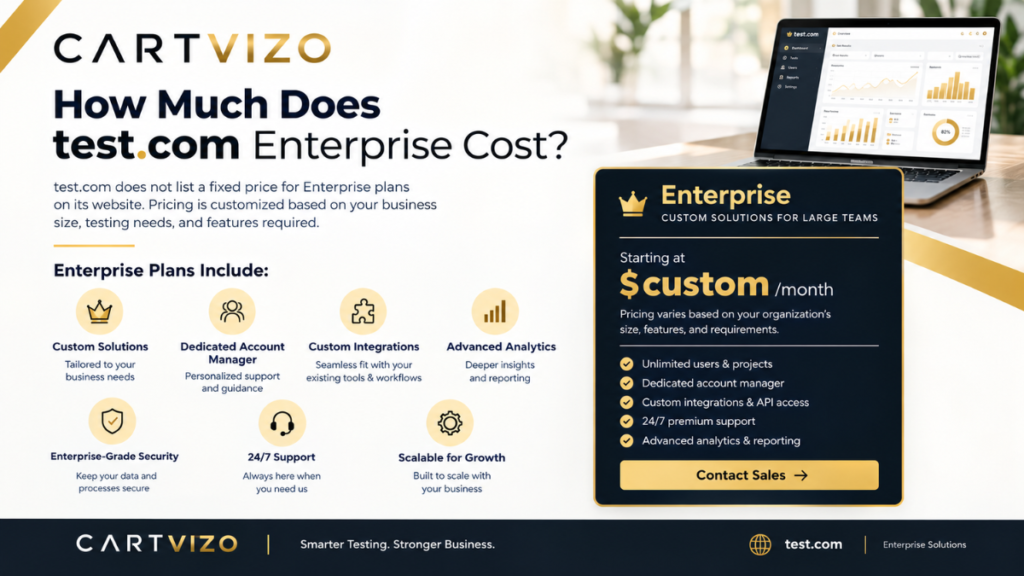
The easiest way to understand the starting price is to separate the three published charges.
1. Enterprise software: $10,000 per year
This is the headline Enterprise starting price.
It covers the software subscription itself and is aimed at larger certification and testing programs.
2. Hosting: $1,000 per year
Hosting is listed separately from the $10,000 software price.
So the annual software and hosting starting cost is:
$10,000 + $1,000 = $11,000
3. Setup: $2,000 one time
There is also a $2,000 one-time setup charge.
Therefore, a simple first-year budget calculation is:
$10,000 software + $1,000 hosting + $2,000 setup = $13,000
That is the number I would use as the initial budget benchmark—not as a promise of what every enterprise customer will pay.
The pricing page itself describes Enterprise as a volume-based solution and asks organizations running more than 10,000 exams to work with the team on a plan based on their program.
What Happens When You Run More Than 10,000 Tests?
This is where enterprise pricing becomes more interesting.
Gauge says Enterprise customers move to volume-based pricing starting at $3 per test, with the effective rate decreasing as testing volume increases. The company also says its highest-volume customers pay well under $1 per test.
That means you shouldn’t look at the $10,000 starting subscription and assume it is the complete cost model for a very large testing program.
Suppose an organization is preparing for a major certification year and expects tens of thousands of candidates.
The right questions become:
- How many tests will actually be delivered?
- Are retakes counted?
- Which certification features are required?
- Is proctoring needed for every exam?
- Does the organization need API or SSO integration?
- Will candidates pay for their own exams?
- How much historical data needs to be migrated?
- What happens if annual testing volume is higher than expected?
Those questions can matter more than the headline subscription price.
Professional vs. Enterprise Pricing
Gauge also offers a Professional plan, which makes sense for smaller or growing certification programs.
The current published starting figures are:
| Professional | Enterprise | |
|---|---|---|
| Software | $750/year | $10,000/year |
| Hosting | $250/year | $1,000/year |
| Setup | $500 one time | $2,000 one time |
| First-year starting calculation | $1,500 | $13,000 |
| Intended use | Growing programs | 10,000+ tests/year |
The Professional plan has eight usage-based pricing levels, while Enterprise is intended for larger programs and offers features such as certification and badging, proctoring integration, lessons, eCommerce capability, and developer integrations.
For a company running 500 or 1,000 assessments a year, Enterprise may be difficult to justify.
For a certification organization running 20,000 or 50,000 exams, the situation is very different.
What Do You Get With the Enterprise Plan?
The useful part of enterprise software isn’t simply the number of administrators who can log in. It is the infrastructure around the examination process.
Certification and Badging
If your organization awards professional credentials, the testing platform needs to do more than record a passing score.
Gauge provides certification and badging capabilities as part of its Enterprise offering. The platform can track certification progress and give administrators reporting tools for monitoring users and credentials.
This could be useful for a training organization where someone completes a course, passes an exam, and then receives a credential.
Instead of maintaining separate spreadsheets for course completion and certification status, the process can be managed through the same system.
Proctoring
High-stakes examinations often need some form of supervision.
Gauge supports integrations with several proctoring providers and also offers GaugeLive for on-site proctored exams. The platform describes options for automated and live proctoring.
One practical point here: don’t automatically assume that proctoring is free simply because proctoring integration is part of the Enterprise feature set.
Before signing a contract, ask exactly how proctoring is priced.
A certification body with 20,000 candidates may have very different proctoring costs from one that only proctors its final professional examination.
API and Webhooks
This can be one of the most valuable Enterprise features for a company with an existing technology stack.
Gauge provides REST API and webhook support. It also supports SSO.
For example, a business might have:
Salesforce → CRM
Moodle → LMS
Microsoft Entra ID → authentication
Gauge → exams and certification
The goal is to avoid making administrators copy candidate information from one system into another.
That is the kind of integration that can justify enterprise software for a large organization.
Security and Access Controls
Large certification programs also need to control who can access exams and administrative information.
Gauge lists features including custom authentication, IP-based access restrictions, user-group permissions, and audit trails.
These features become especially relevant when a certification program operates across multiple locations or has different administrators for different exams.
A Realistic Example: A 25,000-Exam Program
Consider a fictional professional association that certifies electricians.
It has 25,000 candidates annually and offers three certification levels.
The organization currently uses:
- An LMS for training
- A CRM for membership
- Stripe for payments
- Microsoft 365 for internal accounts
- Spreadsheets for certification tracking
- A separate proctoring provider
The team might initially think, “We only need online exams.”
After mapping the actual workflow, the requirements are much bigger:
- Candidate registers.
- Payment is processed.
- Candidate account is created.
- Correct exam becomes available.
- Candidate completes the examination.
- Proctoring information is recorded.
- Result is stored.
- Certificate is issued.
- Certification expiry is tracked.
- Renewal reminders are sent later.
That’s where an enterprise testing platform can become more valuable than a cheap quiz application.
The software is not replacing just one tool. It may reduce the number of manual connections between several systems.
The Biggest Pricing Mistake to Avoid
The mistake I would avoid first is budgeting only for the headline $10,000 Enterprise software price.
That number doesn’t include the separately listed $1,000 hosting charge or $2,000 setup fee.
A much better starting calculation is:
Year 1: approximately $13,000
Ongoing software + hosting starting point: approximately $11,000/year
Then build a second layer for things specific to your program:
- Proctoring
- Payment processing
- Custom development
- Migration
- Additional services
- Higher testing volume
- Third-party systems
The exact treatment of these items should be confirmed in your quote.
Another Mistake: Comparing Only Monthly Prices
Enterprise testing software is difficult to compare with a simple monthly subscription.
Suppose Platform A costs $300 per month but requires your team to manually export certification results.
Platform B costs considerably more but automatically connects testing results to your CRM and certification database.
The first platform looks cheaper on a spreadsheet.
But if three employees spend 10 hours a week moving information between systems, the subscription price isn’t the whole cost.
That’s why I would calculate total operating cost, not just license cost.
How to Estimate Your Own Enterprise Budget
Before contacting sales, collect four numbers.
Step 1: Count annual exam attempts
Don’t just count registered candidates.
A person who takes an exam twice may create two attempts depending on how your pricing agreement works.
Write down your expected:
- First attempts
- Retakes
- Practice exams
- Certification exams
- Renewal exams
Step 2: List required features
Separate “must have” from “nice to have.”
For example:
Must have
- SSO
- Certification
- API
- Proctoring
- Reporting
Nice to have
- Custom branding
- eCommerce
- Advanced lessons
- Additional automation
This prevents you from paying for functionality your team won’t actually use.
Step 3: Map your existing software
Write down every system that needs to communicate with the testing platform.
A simple list might look like:
CRM: Salesforce
LMS: Moodle
Identity: Microsoft Entra ID
Payments: Stripe
Reporting: Power BI
This gives the vendor a much clearer picture of your integration requirements.
Step 4: Ask for a written cost breakdown
Don’t settle for a single number.
Ask the vendor to separate:
- Annual software
- Hosting
- Setup
- Exam volume
- Proctoring
- Integrations
- Migration
- Support
- Optional modules
- Overage charges
Gauge’s support documentation indicates that customers provide expected live tests and lessons for the first 12 months and receive an invoice based on the service arrangement. It also notes that overages may be billed if usage exceeds what was paid for.
That makes it especially important to have your expected volume reasonably accurate.
Can You Try Gauge Before Paying?
Yes.
The current pricing page advertises a 30-day free trial with no credit card required.
If you’re evaluating the platform for an enterprise program, I wouldn’t use the trial simply to create a few sample multiple-choice questions.
Use it to test the actual workflow.
For example:
- Create a representative exam.
- Import a sample question bank.
- Create several user groups.
- Test different permissions.
- Try the candidate experience on Chrome.
- Test the experience on Safari or Edge.
- Test on a Windows laptop and an iPhone.
- Connect your intended authentication method if possible.
- Review reports.
- Test the certification workflow.
- Try a sample integration.
- Ask administrators to use it without your help.
That last step is useful.
If your certification manager can operate the system comfortably after a short training session, that’s a much more meaningful result than simply seeing a sales demonstration.
What Should You Ask Before Signing?
I’d keep a short list ready for the sales call.
Pricing
- Is the $10,000 price still the current Enterprise starting point?
- How is volume calculated?
- Are retakes counted separately?
- What happens if we exceed our annual volume?
- Are there discounts at higher volumes?
Technical
- Is API access included?
- Are webhooks included?
- Is SSO included?
- What authentication systems are supported?
- What are the API limits?
Migration
- Can existing questions be imported?
- Can candidate history be migrated?
- Who performs the migration?
- Is migration included in setup?
Security
- What audit information is retained?
- How are administrator permissions controlled?
- What access restrictions are available?
- What security documentation can be provided to our IT team?
Proctoring
- Which providers can be integrated?
- Is proctoring included in the subscription?
- Is proctoring charged per attempt?
- Can candidates pay for their own proctoring?
Contract
- What is the renewal price?
- How are volume changes handled?
- Are there overage charges?
- What happens to our data if we leave?
Getting these answers in writing makes vendor comparison much easier.
Is the Enterprise Plan Worth It?
That depends heavily on the size and complexity of your testing program.
If you’re a small training company running a few hundred internal quizzes each year, I would not start with Enterprise simply because it has more features.
You may end up paying for infrastructure you never use.
But if your organization runs thousands of professional exams, manages formal certifications, needs secure testing, has multiple administrators, and needs integrations with systems such as an LMS or CRM, the Enterprise model makes more sense.
The value also becomes easier to see when testing is part of the organization’s core business.
For example, a certification body that earns revenue from exam registrations may care less about whether the software costs $5,000 or $10,000 than whether the system can reliably process candidates, payments, examinations, results, and credentials without creating a large administrative workload.
Final Thoughts on Test.com Enterprise Pricing
The current public pricing gives a reasonably clear starting point for anyone researching test.com pricing enterprise plans.
Gauge Enterprise starts at $10,000 per year, with $1,000 annual hosting and a $2,000 one-time setup fee. That produces a basic first-year starting calculation of $13,000. For organizations running more than 10,000 tests annually, pricing moves into a volume-based model starting at $3 per test, with lower effective rates at higher volumes.
The important part is not to treat $13,000 as the final price for every organization.
Your real budget should reflect exam volume, proctoring, integrations, migration, payment requirements, and any other services your testing program needs.
If I were evaluating the platform for a real organization, I’d start with the 30-day trial, build one realistic exam workflow, connect the systems that matter, and then request a written Enterprise quote based on actual annual volume.
That approach gives you something much more useful than a headline price: a realistic idea of what the platform will cost and whether it will actually reduce the work involved in running your testing program.